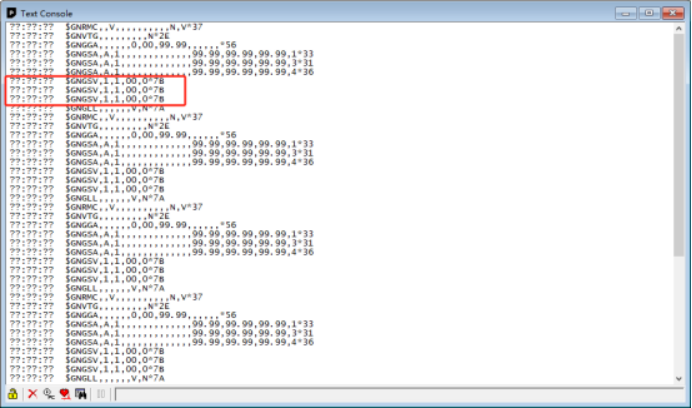
How can GPS output GNGSV messages?
1. Download and install u-center: https://www.u-blox.com/en/product/u-center
2. Connect the GPS to the computer via a USB-to-Serial port converter
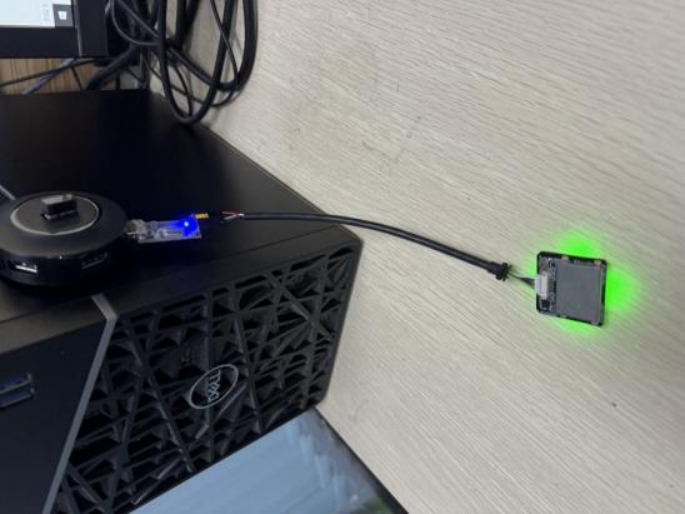
Connect GPS to the computer
3. Open u-center, and click the icon to select the corresponding port as shown below. Click the icon to select the corresponding baud rate. (Select 9600 for the GPS with the M8 chip, and select 38400 for the GPS with the M10 chip)
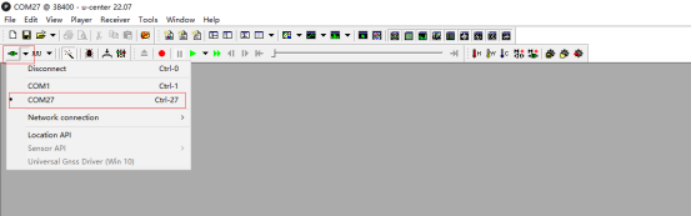
Select the corresponding port
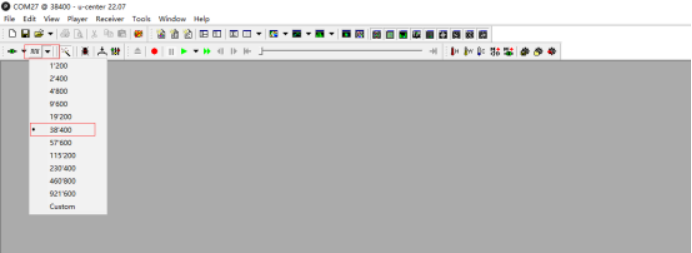
Select the corresponding baud rate
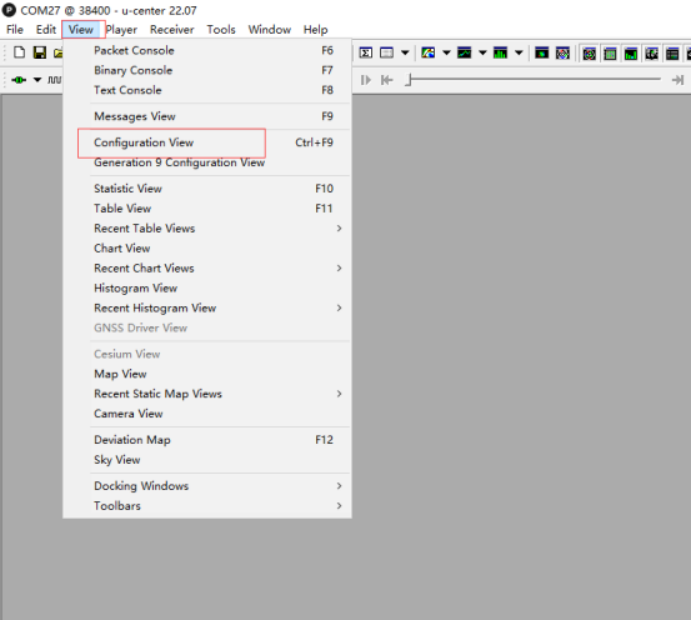
4. Click View and select Configuration View
5. Select NMEA. Set GSV Talker ID to 1 - Use the main Talker ID, and click Send to save the settings.
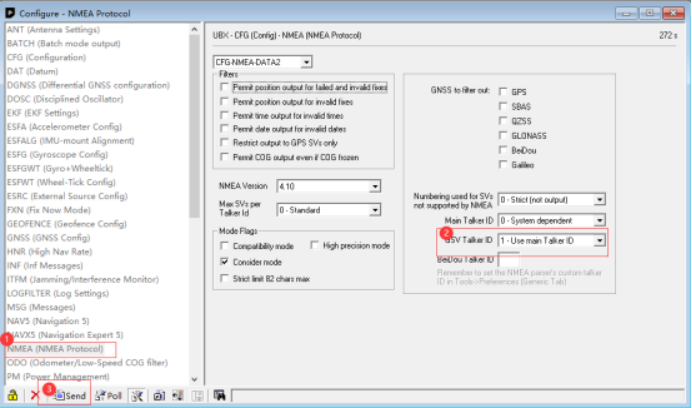
6. GPS can output GNGSV messages.